Arun Doss's Blog
The Need to Create a Visual Studio Extension
Introduction:
I use Visual Studio for Development. I like the UI and the debugging tools in it and it mainly means business. I mostly working on a Web Applications, so at-least for API's I will use .Net. In the enterprise world .Net is famous and already won over Java long before I become a developer. At first I used to use VS Code, then for a short few years I used Jetbeans Rider and at-last found my home for last two years in Visual Studio as it is no nonsense, build for business and feature rich IDE.
I love vim movements and I am now using a extension called VS Vim and so for it is working fine. I am using Emacs on the side just for some of the for long time not as Coding Editor but for its powerful organizational capabilities. I have configured evil mode in Emacs which brings Vim key bindings to Emacs and I very much comfortable with it.
The Jonathan Blow effect, I have seen some videos of Programmer and Game Designer Jonathan Blow and he as well uses Visual Studio predominantly for development but in C++ as he is a game developer. Interestingly he also has developed a Language of his own called Jai. He uses Visual Studio for Project Management but for editing he used Emacs. I loved that Idea, as Visual Studio is great for debugging and day to day project management like Search files, finding Packages etc., and Emacs is a great Word Editor. I wanted to have that after seeing how comfortable he is moving around Emacs and going here and there withe blazing speed in the code.
So I have started using Emacs as my editor and love it.
My Current Setup
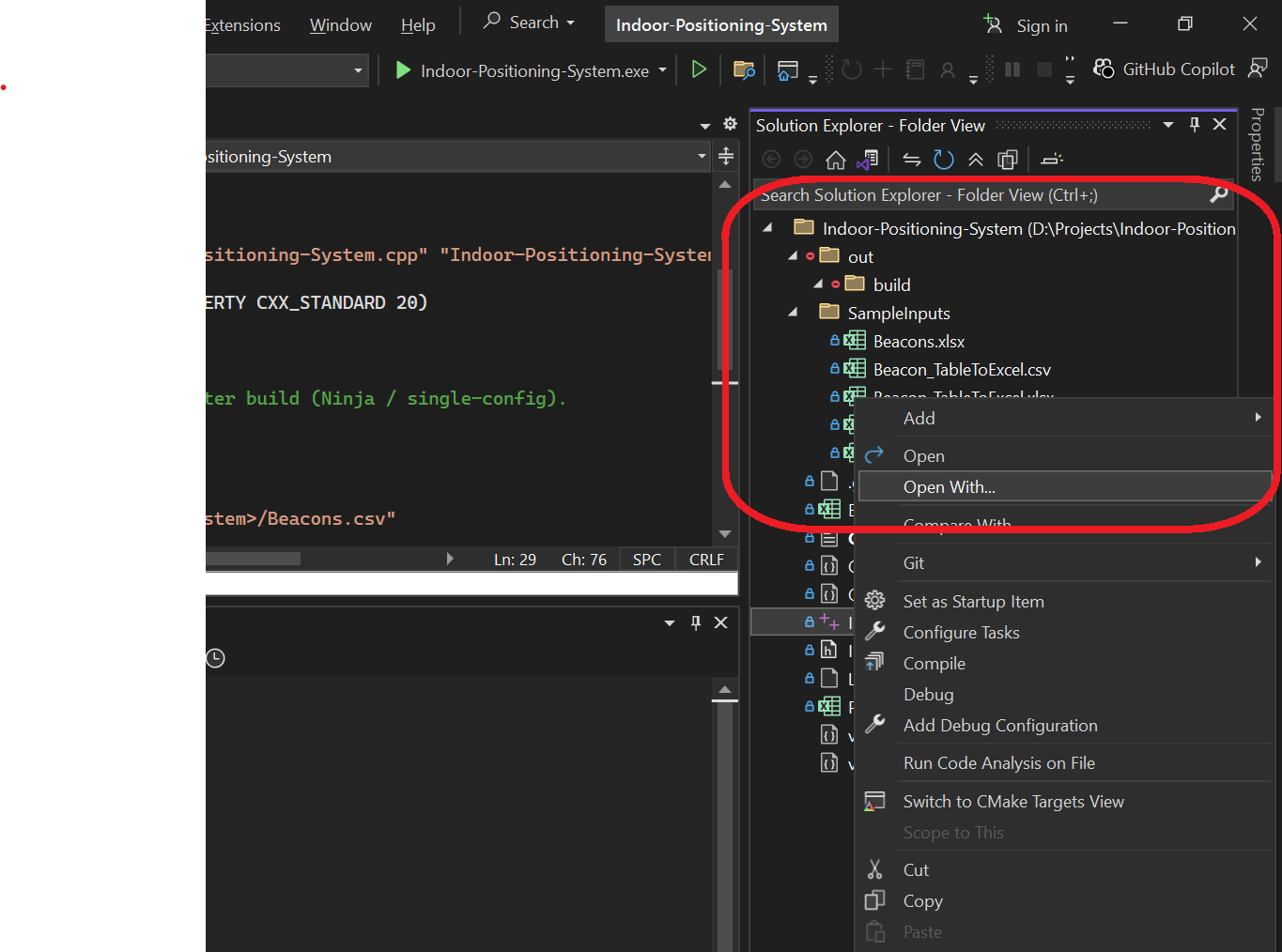
Currently I just open my Project in Visual Studio. I am working on a C++ Project now that provides a core for a Indoor Positioning System using Bluetooth Beacons. I open my project in Visual Studio and I have configured the Emacs client as a editor, as Emacs has a daemon mode in which Emacs runs in background and we can open a client super fast compared to any other editors. The configuration steps are:
- Right Click on the file you want to edit and click "Open With" Option.
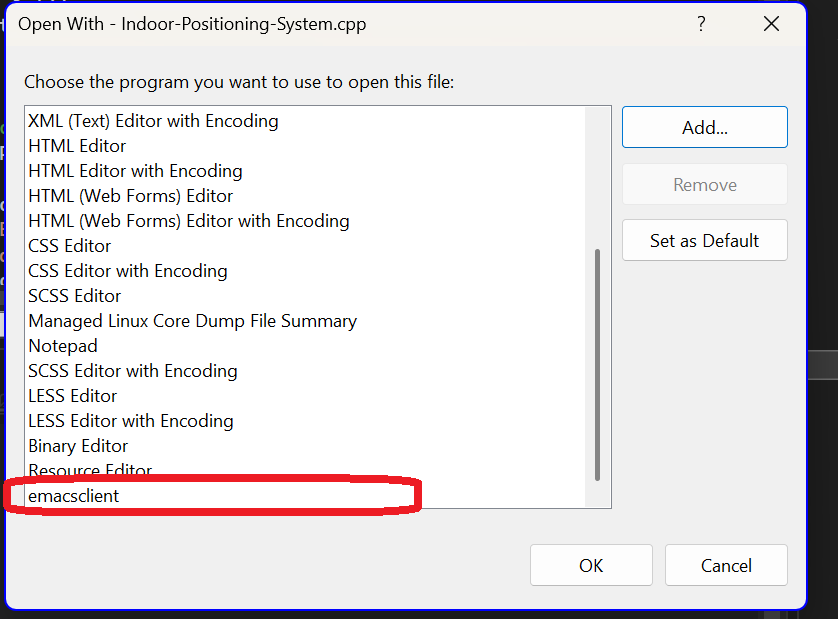
- On the Open With Window Click add and add your editor, if you want you can include other parameter as well. ./img/vsExtensibilityAddClient
- Now you can click open with and the added client any time to open the file in Emacs for editing.
The Need for Extension
So every time when I want to edit a file I have to gone through two to three Steps. Even though I can now set the newly created Emacs Client app as a default and call it a day, I need to open the Visual Studio as my default editor as most of the time I may be debug a file and editing maybe just clicking a button on right click.
So now it will reduce the steps from 3-4 click to just a right click or a shortcut. Since, I didn't find a extension for this use case in the marketplace and the internet, I thought let's do it how hard it can be. Ha.. Ha.. Ha.. how hard?
The Visual Studio Extensibility Problem
The Extensibility document is vast and not easy but I have gone through it and after resolved some packages error due to my Visual Studio version (17.x). Even I have created the simple Hello World extension. Everything works and you may think I created it. But Nooo…
The Extension Command and action placement is confused at minimum and there is no visibility of where the File Right Click location exists.
The vsct Vortex
As recommended by the documentation and some expert answers there can be two ways to find the Parent GUID for the command placement.
- To go through all the similar looking command names inside the vsct files under "C:\Program Files\Microsoft Visual Studio\2022<edition>\VSSDK\VisualStudioIntegration\Common\Inc"
- To enable VSIPLogging. Refer here.
The Inc Failure
I have found the similar commands and their parents ids and so far I couldn't able to find it. I tried many similar commands for "Open With", "Code Editor" etc., with Parent GUID's found there like IDGVSSOLNITEMSPROJITEM, IDGVSCTXTSOLNEXPLALL, IDMVSCSCDSOLUTIONADD etc., but no luck yet.
Planned next steps
Maybe the VSIPLogging step can help, let me update once I gone through it
The future
Voluntarily, I have gone into this mess, But I am plan to go through it and create my extension. Maybe in future avoiding projects like this can save time.